
Download Kingsoft Free Antivirus – antivirus, free antivirus, malware protection, spyware protection, security tool
Overview
Kingsoft Free Antivirus is a mobile security application developed by Kingsoft Corporation, designed to provide ongoing protection against a range of digital threats including worms, trojans, spyware, malware, and unknown viruses. As a free security tool, it aims to deliver reliable cyber threat detection and system safety for Android users. The app is particularly suited for individuals seeking a lightweight, accessible solution to enhance their smartphone’s defense mechanisms without financial commitment.
It addresses common concerns related to online safety, such as phishing attempts, malicious downloads, and unauthorized data access. By integrating system scanning and email protection capabilities, Kingsoft Free Antivirus supports users in maintaining secure digital habits across various online activities. Its presence in the app ecosystem offers a viable alternative for users who may not require premium features but still demand consistent protection.
The developer, Kingsoft Corporation, has a history in software development, particularly in security and productivity tools. Although specific details about the app’s technical architecture or development roadmap were not provided, its continued availability suggests a stable release cycle. The app remains relevant for users prioritizing privacy and data protection on mobile devices.
Key Features & Functionality
- Permanent Threat Protection: The app delivers continuous monitoring to detect and block threats in real time, ensuring that the device remains protected during browsing, app usage, and file downloads.
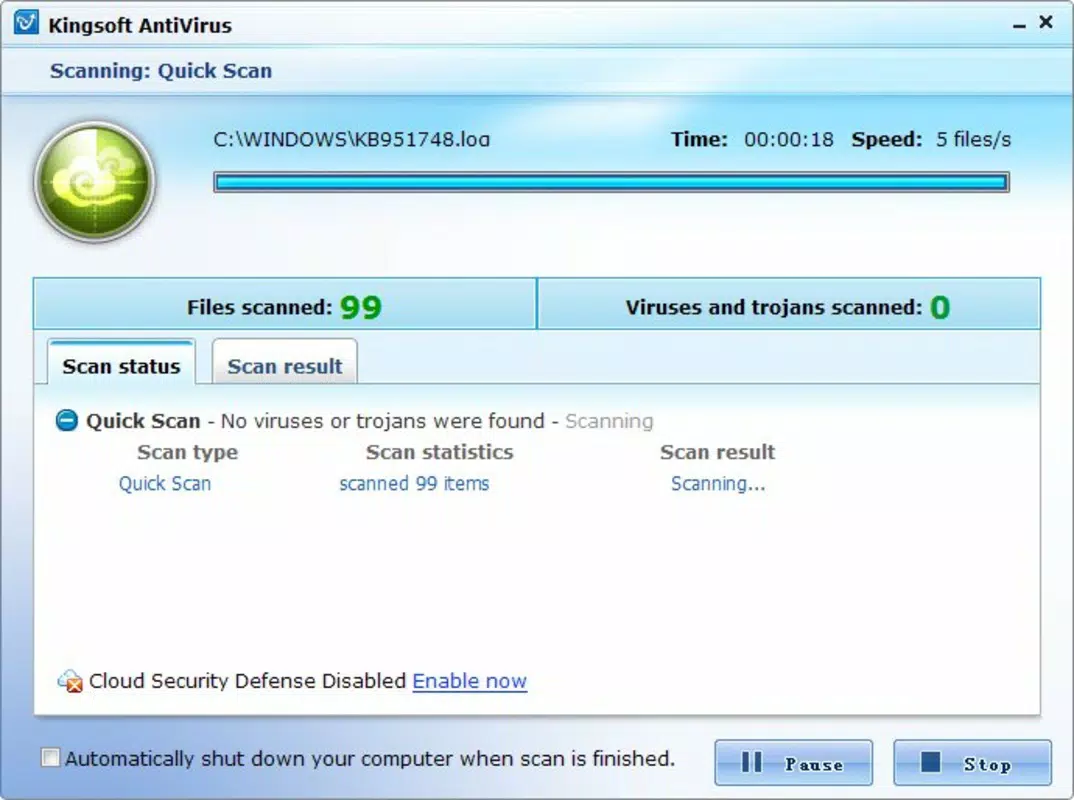
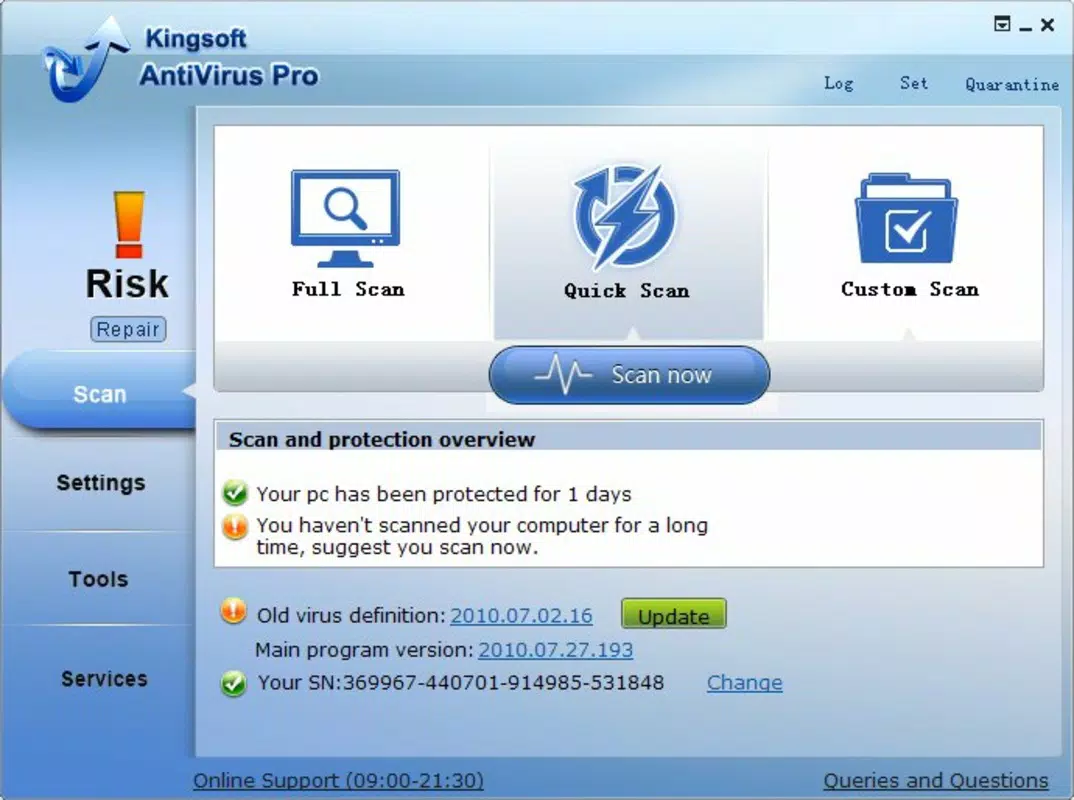
- Comprehensive System Scans: Users can initiate full or custom scans of the device to identify hidden malware, suspicious files, and potentially harmful applications.
- Email Scanning: Kingsoft Free Antivirus includes functionality to scan incoming and outgoing email attachments, reducing the risk of phishing and malware propagation via email.
- User-Friendly Interface: The interface is designed to resemble widely used antivirus platforms, allowing new users to adapt quickly and access core features without confusion.
- Cloud Protection System: Leveraging cloud-based threat intelligence, the app enhances detection speed and accuracy by accessing up-to-date malware signatures and behavioral analysis.
For example, a user downloading an app from an unofficial source can rely on real-time protection to block any embedded malicious code. Similarly, someone receiving a suspicious email with a file attachment can use the email scanning feature to verify safety before opening. These use cases highlight the app’s practical value in everyday mobile security routines.
Interface, UX & Performance
The user interface of Kingsoft Free Antivirus reflects a clean, intuitive layout that prioritizes accessibility. Navigation is structured around core security functions, with clearly labeled buttons and minimal visual clutter. This design approach supports quick access to scanning tools, protection status, and settings.
Although the developer did not list formal performance metrics, the app’s file size of 12.5 MB suggests a lightweight footprint, which may contribute to efficient operation on mid-range and older Android devices. Users can expect responsive interactions during scans and real-time monitoring, though actual performance may vary based on device hardware and background processes.
Stability appears consistent, as the app has been available since 2010. However, specific details on crash rates, memory usage, or battery impact were not disclosed. The absence of reported issues in public forums suggests a reliable user experience, though this cannot be confirmed without official data.
Platform Compatibility & Technical Requirements
Kingsoft Free Antivirus is available exclusively on the Android platform. The app supports Android devices running the OS version specified in the latest release, though the developer did not specify minimum OS requirements. Given its release date of 2010, the app may be compatible with older Android versions, but compatibility with the latest Android releases is uncertain.
The application size is 12.5 MB, which is relatively small for a security app, indicating efficient code optimization. This size may allow installation on devices with limited storage, making it accessible to users with entry-level smartphones. No additional permissions or hardware requirements were listed.
Users should verify compatibility with their specific device model and Android version before installation. The developer did not provide a full list of supported devices or technical prerequisites.
Pros and Cons
Pros
- Free to download and use with no hidden costs
- Lightweight file size (12.5 MB) suitable for low-storage devices
- Real-time threat protection for continuous security
- Includes email scanning to enhance communication safety
- Cloud-based detection improves response to emerging threats
Cons
- Developer did not provide detailed system requirements or compatibility list
- Version history and update frequency are not publicly documented
- No official performance metrics or battery impact data available
- Interface may lack advanced customization options for power users
- Long-term support and active development status are unclear
FAQ
Is Kingsoft Free Antivirus safe to install?
Yes, the app is available through official channels and does not require root access. However, users should ensure they download it from trusted sources to avoid modified or malicious versions.
Can I use Kingsoft Free Antivirus on older Android devices?
Potential compatibility with older Android versions is possible due to the app’s long release history. However, specific device compatibility was not disclosed by the developer.
Does the app require internet access?
Yes, the cloud protection system requires an active internet connection to download updated threat definitions and analyze suspicious files in real time.
How often should I scan my device?
It is recommended to perform a full system scan at least once a week, especially after downloading new apps or visiting unfamiliar websites. Real-time protection runs continuously in the background.
Is the app updated regularly?
The developer has not provided information on update frequency. Users should check for updates manually through the app store or verify the version number to ensure they are using the latest available release.
Final Thoughts
Kingsoft Free Antivirus offers a straightforward, no-cost solution for Android users seeking reliable protection against common digital threats. Its combination of real-time monitoring, system scanning, email security, and cloud-based intelligence makes it a practical choice for individuals prioritizing online safety without investing in premium software.
While the app lacks detailed technical documentation and modern UI enhancements, its core functionality remains effective for basic cybersecurity needs. It is especially beneficial for users with older or low-spec devices who require a lightweight yet functional security tool.
For those looking to strengthen their mobile security with minimal cost and effort, Kingsoft Free Antivirus delivers tangible value. Its long-standing presence in the market reflects consistent reliability, even if development activity is not fully transparent.
Download Kingsoft Free Antivirus now


